UX/UI Designer

Clawmi
A relaxing and fun 2D mobile decorating and claw-machine simulation game where every catch unlocks new decor to customize your dream room. Master the claw, complete collections, and create a home that is uniquely yours.
Background
As someone who enjoys cozy collection games, but found a lack of claw machine mobile games, I wanted to explore what a mobile experience could feel like when creativity and self-expression are at the center.
That curiosity led to Clawmi, a 2D claw machine game focused on collecting, decorating, and showing off what you’ve earned! Building this project in Unity with a programmer also gave me space to explore UX/UI design and create wireframes and assets through iterative development.
Role
-
UX/UI Designer
-
Team of 2
Timeline
-
Mar 2025 - Present
Tools
-
Figma
-
Unity
-
Google Forms
-
Asprite
Process
-
Competitive Analysis
-
Wireframes
- Final Prototype
- Reflection
The Problem
Many mobile claw-machine experiences can feel cluttered, confusing, or overly focused on monetization. I wanted to design one that felt more intuitive, rewarding, and easy to return to.
Overview
Clawmi is a mobile claw-machine and room-decorating game where players win prizes, unlock decor, and personalize their space over time. My goal was to create an experience that felt approachable for casual players while still supporting long-term engagement through collection, progression, and customization.

Image of Clawmi's Mind Map
Research Insights
Before moving into wireframes and visual design, I wanted to better understand what players expected from claw-machine games, what made similar experiences enjoyable or frustrating, and what might make the game easier for new players to pick up.
This research helped me better understand player expectations and guided the decisions I made throughout the design process.
Competitive Analysis
I looked at games like Clawbert, Tokyo Claw Machine, and real claw-machine experiences to understand how these games present rewards, guide player actions, and create excitement around winning.
From that research, I found that players were especially sensitive to cluttered interfaces, unclear icons, and systems that made rewards or costs hard to understand. That pushed me to focus on clarity, low-friction navigation, and visual feedback that made actions and rewards easier to read.
Clawbert (2017) HyperBeard
Fun and cute claw machine game that is simple and straightforward in gameplay.
What stood out to me:
-
Clear sense of progression through unlocking new plushies
-
Strong collection appeal with different themes and color variations
-
Playful animations and visual effects that made the experience feel more rewarding
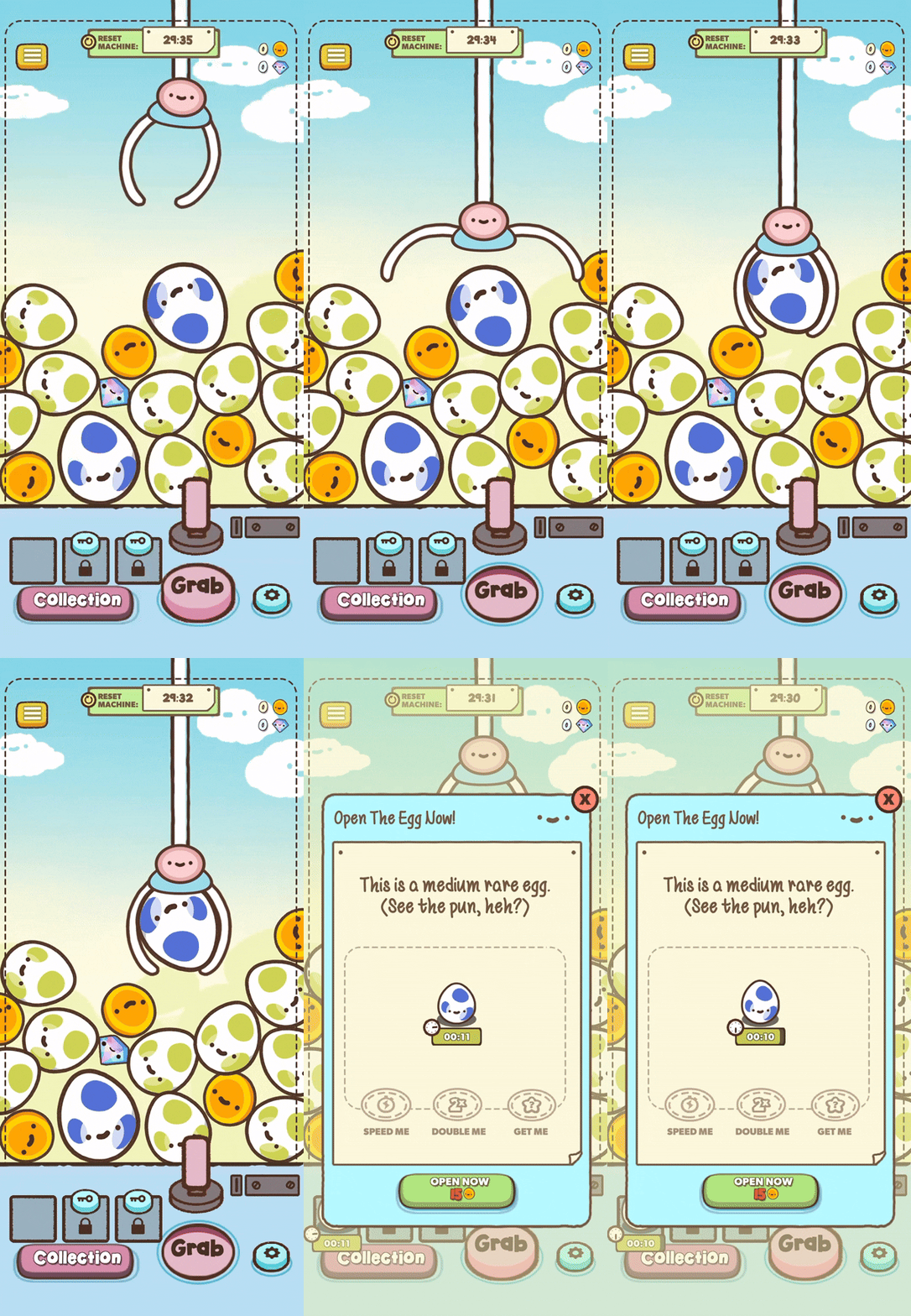
Collecting an egg
Tokyo Claw Machine (2024) Omochi Studio
It combined claw-machine gameplay with a personal room that players could decorate using the plushies they won, which made the rewards feel more meaningful and personal.
What stood out to me:
-
The ability to show off your space to other players
-
Room customization that made the experience feel more personal
-
Plushie themes that made collecting feel more exciting
-
Visual and audio feedback that made rewards feel satisfying
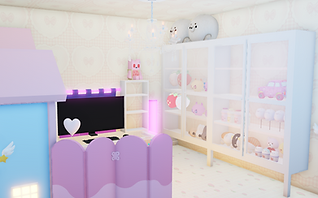
What my room looks like
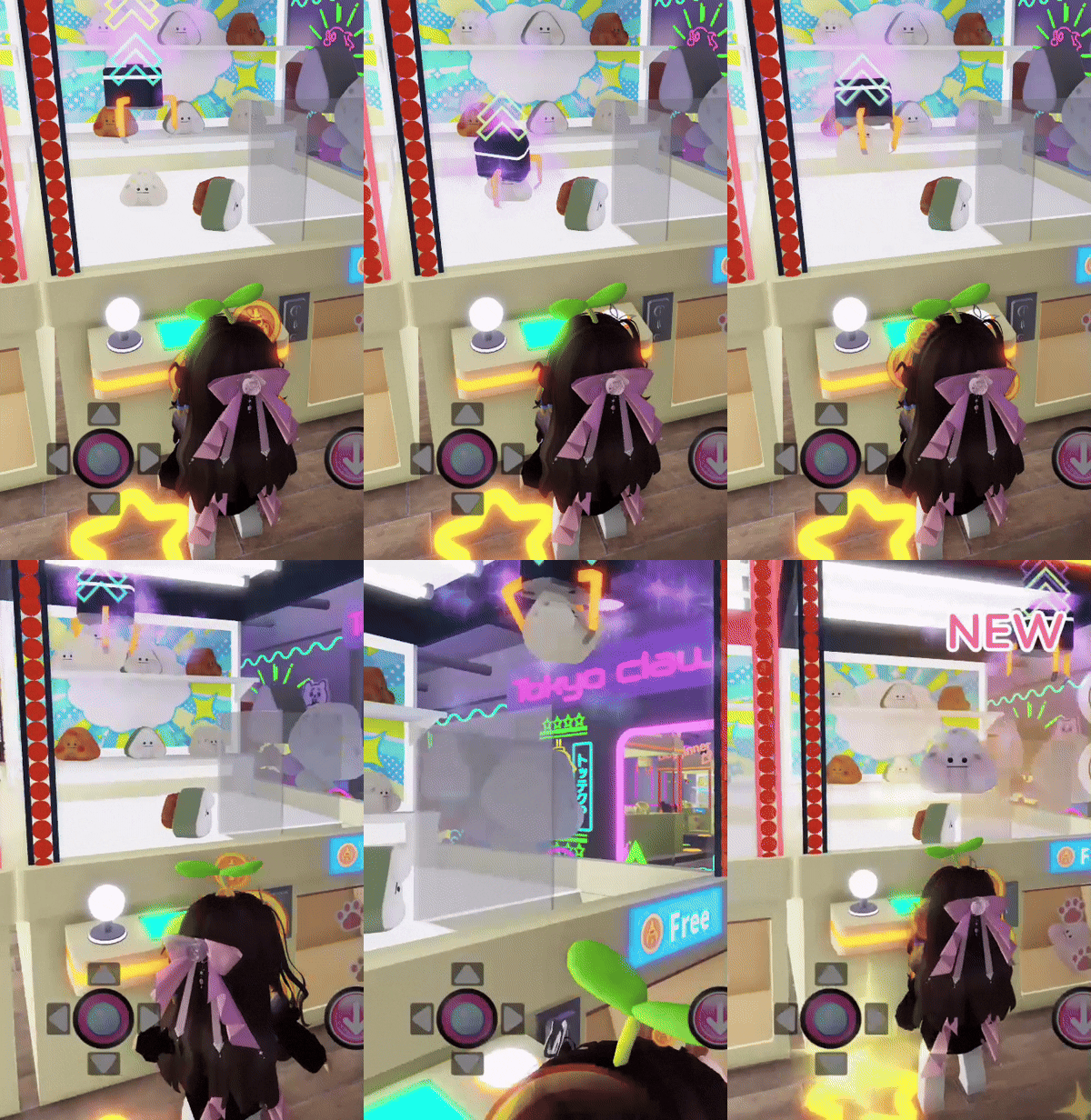
Winning a Prize
Round1 Bowling & Arcade
Although Round1 is not a video game, its claw machines still offer a strong user experience. Looking at real claw machines helped me better understand how players respond to feedback, difficulty, prize visibility, and claw movement in a physical setting.
What stood out to me:
-
Strong visual and audio feedback during play
-
The excitement and uncertainty of trying to grab a plushie
-
Themed plushies that made prizes feel more appealing
-
Claw mechanics that shaped both the challenge and the overall experience
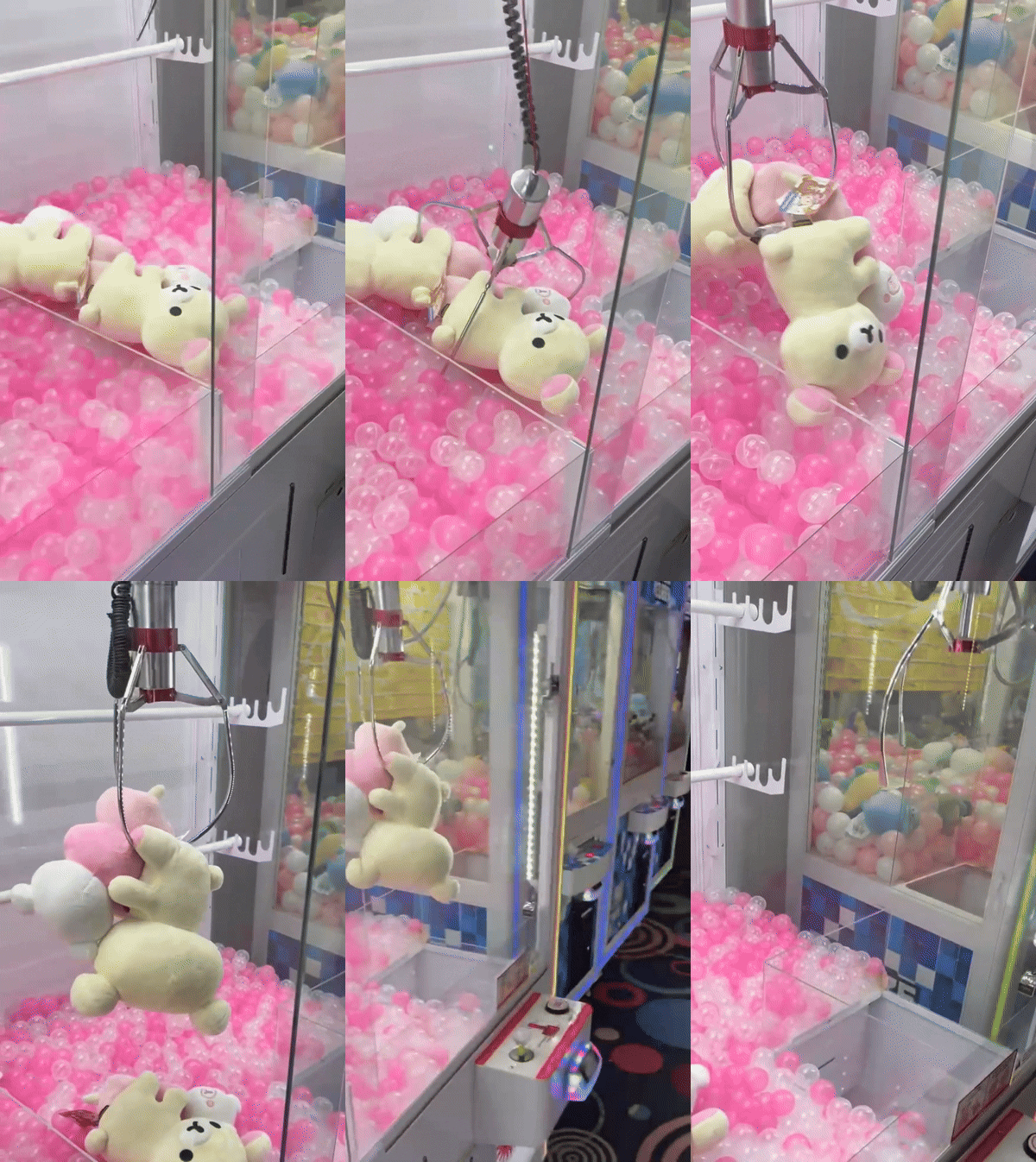
Winning a Prize
User Research
I also ran a survey with 15 participants to better understand player expectations, familiarity with claw-machine games, and common frustrations with similar mobile experiences.
Survey responses revealed three major challenges.
-
Many players had little to no experience with claw machine games on mobile or PC, suggesting a need for an intuitive and approachable first-time experience
-
Players expressed frustration with monetization in games, particularly when costs felt too high or intrusive that causes them to stop playing
-
Rewards, costs, and progression systems needed to feel more transparent and easier to understand
These findings gave me clearer direction on what to prioritize in the design, especially around clarity, reward feedback, and low-friction navigation.

UX Design
User Personas
I created personas based on the main motivations I found in my research, including casual play, progression, and customization. These personas helped guide how Clawmi should feel for different types of players.

Why Emily Is the Core User
Emily represents the core casual audience. Design decisions prioritize accessibility, clear feedback, and visual clarity to keep the experience fun, simple, and easy to learn.
These are my second and third personas.


Early Concept
Wireframes
Each wireframe includes a main navigation bar located at the bottom of the screen. This navigation provides quick access to the game's core features, with buttons arranged from left to right:
-
Hatch - opens the incubator for collected eggs
-
Bag - accesses the player's inventory
-
Home - returns to the claw machine or player room, depending on which screen they are on
-
Collection - displays all collected prize items
-
Shop - allows player to purchase prizes, decor, and currency

I created low-fidelity wireframes for three core screens, the claw machine, player room, and incubator, to establish clear navigation and low-friction interactions while minimizing complexity. Each wireframe was annotated to define functionality and clearly communicate design intent to my programmer.
--------------------- The Claw Machine ---------------------
Annotation Key
1. Player Level and Experience Bar (XP Bar)
-
Shows and tracks player's progress to leveling up
2. Currency Icons
-
Coins (main currency) - on the left
-
Tickets (premium currency) - on the right
3. Options Icon
-
Volume, notifications, mail, achievements, daily log in
4. Claw - grab prizes
5. Joystick, Refresh, and Grab Buttons
-
Prize refresh countdown

--------------------- The Player's Room ---------------------
Annotation Key
1. Build Mode
-
Enters Build Mode by selecting the Build button (see #3).
2. Claw Machine (interactable object)
-
On select, opens a collection of buttons, one gives instant access to that specific claw machine (see #3)
3. Item Action Menu
-
Appears when an item is selected, providing relevant actions such as rotate, put away, and view item details.
4. Build Button
-
Enters build mode, includes exit button
-
Hides all player information except the option button

--------------------- The Incubator ---------------------
Annotation Key
1. Incubator
-
Quick add a egg to incubate, shows current incubating egg
2. Add to Queue Button
-
Opens a queue preview and list of available eggs to incubate
3. Hatch Button
-
Press to hatch the egg
4. Speed Up Button
-
Pay tickets to speed up hatching

Here are some early wireframes for the navigation pages and other features that I've worked on:
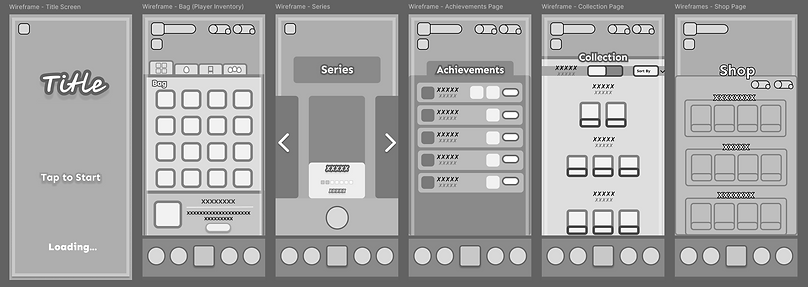
From left to right: Bag, Series, Achievements, Collection, and Shop pages

Settings, Mail, and Collecting a prize popup
Color Palette
I took inspiration from modern claw machines and arcade aesthetics to shape the overall visual direction.
-
Playful tone (bright pastels)
-
Reward energy (peaches, reds, pinks)
-
Readability (blues and whites)
-
Hierarchy (light and dark browns)

These are the different color iterations explored during the claw machine’s visual design process.

Final Design
The Claw Machine
What changed?
The claw machine screen was the most iterated on to ensure that players are able to navigate easily and has clear visual feedback.
UI elements were refined to show essential information only: energy and coin costs are displayed numerically to set clear cost per grab, and a ticket counter that shows the cost to refresh prizes.
The navigation bar was redesigned with clearer icons and labels for improved visibility, and button styles were simplified to reduce clutter.
Player level and XP progress are shown through a bar, revealing detailed information on interaction.

The Player's Room
The player’s room is the second most interacted with screen and plays a key role in personalization and player expression.
(Images, left to right)
1. When the player enters the room, a Build Mode button appears.
2. Selecting an item will show an isometric grid, and the item snaps to the grid while moving. A pulse animation and arrows indicate the active item.
3. The highlight turns green when the item can be placed and red when it cannot.
Default

Selected Item

Build Mode

The Incubator
The incubator is the third most interacted, which allows players to hatch and collect eggs quickly and easily.
(Images, left to right)
The incubator is where players hatch collected eggs.
To keep this process quick and easy, the screen includes a Hatch button, an Add to Queue button that opens a list of available eggs, and a Speed Hatch option that uses tickets to finish hatching faster.
The layout focuses on reducing steps and keeping progression clear and accessible.
Default

Queue List Popup

Here are some other wireframes I designed!

Series
Swaps to different themed claw machines
Collection
Contains a record of collected prizes
Shop
In-game purchases and other items
Achievements
Displays all collected achievements

Collected Item
Choose to put away or incubate the egg
Daily Log In
List of daily rewards
Settings
Control account settings and audio
Refreshing Prizes
Mail
Shows important notices from devs
What I Learned
This project helped me see how important it is to design interfaces as part of a larger system, where feedback, navigation, and progression all need to work together to make the experience feel intuitive and considerate of the player’s time and attention.
Designing over 30 wireframes and translating them to an interactive mobile prototype pushed me to think more carefully about clarity, hierarchy, and friction, especially for a game meant to feel easy to pick up and enjoyable to return to.
Personas played a big role in shaping my decisions, and collaborating closely with my teammate made me more intentional about designing solutions that were both thoughtful for players and practical to implement. More than anything, this project reinforced the value of testing early, iterating with purpose, and continuing to test as the game develops.